Contents 16 sections
An e-Invoice issued in Turkey cannot be cancelled simply by deleting its PDF or removing it from accounting software. The correct procedure depends on whether the invoice was issued under the Basic or Commercial scenario, when it reached the recipient, whether the transaction occurred and whether the invoice has already entered a tax return or statutory ledger.
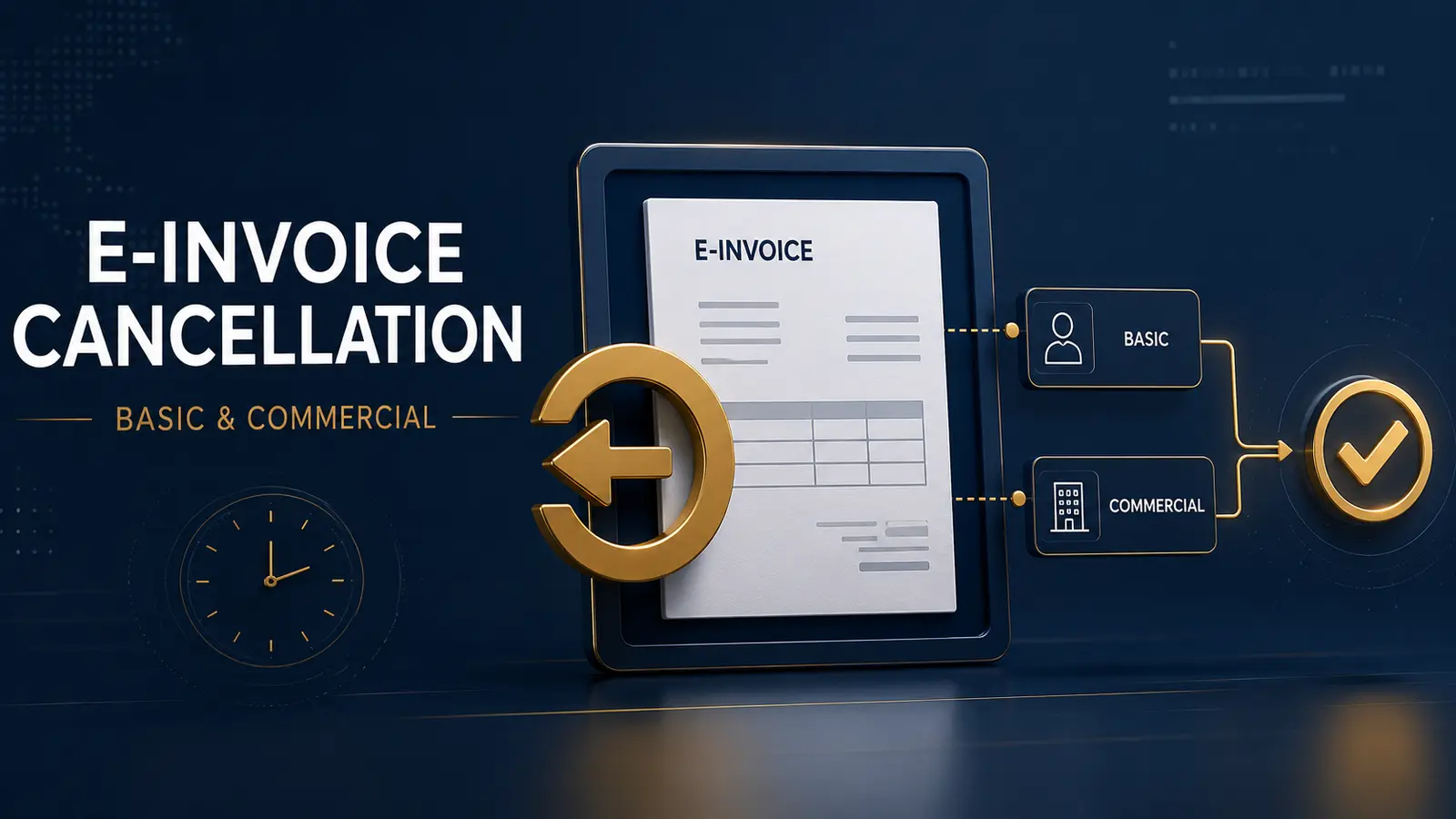
The distinction between Temel Fatura and Ticari Fatura is critical. A Commercial Invoice can generally be rejected through an electronic application response, while a Basic Invoice has no equivalent system-level rejection response and normally requires the GİB cancellation portal or a legally valid objection process.
Cancellation, rejection, objection and return are not interchangeable. Selecting the wrong procedure can leave two active invoices, create inconsistent VAT records or produce a document trail that does not reflect the actual supply.
Basic and Commercial Invoice Cancellation at a Glance
| Scenario | Primary electronic method | Main control |
|---|---|---|
| Basic Invoice | A cancellation request is initiated through the GİB e-Invoice Cancellation/Objection Portal and approved by the counterparty. | Both request and approval should be completed within eight days of delivery to the recipient. |
| Commercial Invoice | The recipient sends a REJECT application response through the e-Invoice system. | The response should be transmitted within the applicable eight-day period. |
| External legal objection | The invoice is challenged using an eligible method outside the e-Invoice application, followed by the required portal notification. | The legal objection and subsequent electronic notification are separate steps. |
| Goods or services later returned | A return invoice or another permitted correcting document is generally used. | Do not erase an invoice for a supply that actually occurred. |
Start with the scenario: Before taking any action, inspect the original UBL/XML record and determine whether the invoice profile is TEMELFATURA or TICARIFATURA. The PDF appearance alone may not reliably establish the electronic scenario.
Why Deleting the Invoice Is Not Cancellation
An e-Invoice is transmitted and retained as a structured electronic document. Deleting its visual copy from an ERP, email account or archive folder does not withdraw the document from the GİB system or the recipient’s records.
A completed cancellation or rejection also does not mean that the audit trail should be destroyed. The original XML, system responses, cancellation request, counterparty approval, legal notices and replacement document should be retained together.
For the mandatory information that should be checked before deciding whether an invoice is defective, see our Turkish Invoice Requirements guide.
The Eight-Day Rule
Article 21 of the Turkish Commercial Code provides that a person receiving an invoice is deemed to have accepted its contents unless an objection is made within eight days of receipt. For electronic workflows, the delivery timestamp recorded by the system is therefore more important than the date printed on the invoice.
For a Basic Invoice cancellation request, the request and the counterparty’s approval should be completed before the eight-day period expires. Starting a request near the end of the period does not safely preserve an unlimited approval period.
For a Commercial Invoice, the recipient should send its electronic REJECT response within the same period. If no timely rejection or other legally effective objection is made, a commercial-law presumption of acceptance can arise.
Calendar control: Record the technical delivery timestamp immediately. Do not calculate the period solely from the issue date, the date on which the PDF was opened or the later payment date.
How to Cancel a Basic Invoice
The Basic Invoice scenario does not provide the recipient with the Commercial scenario’s ordinary ACCEPT or REJECT application response. A qualifying cancellation is instead handled through the GİB e-Invoice Cancellation/Objection Portal.
| Step | Action | Evidence to retain |
|---|---|---|
| 1. Confirm delivery | Identify the envelope and invoice delivery timestamps. | System status and original XML. |
| 2. Confirm the reason | Determine whether the document is duplicate, issued to the wrong taxpayer or relates to a transaction that did not occur. | Contract, order, delivery and correspondence records. |
| 3. Start the request | Enter the invoice number and payable amount in the official cancellation portal and sign the request electronically. | Portal request number and signed record. |
| 4. Obtain approval | The counterparty reviews and approves or rejects the request through the portal. | Counterparty response and timestamp. |
| 5. Reconcile records | Update the ERP, accounting, VAT and customer or supplier records. | Accounting entry, tax-period review and replacement invoice. |
Either party may initiate the request, but the cancellation is not complete until the counterparty approves it. A pending request should not be treated as a completed cancellation.
The process cancels the complete invoice. It does not edit an incorrect customer name, VAT rate, quantity or price within the original XML. If the underlying supply continues, the issuer should prepare a new and accurate invoice after the cancellation is completed.
How to Reject a Commercial Invoice
The Commercial Invoice scenario allows the recipient to respond electronically. Where the invoice should not be accepted, the recipient generally sends a REJECT application response through its e-Invoice system.
- Verify that the invoice profile is TICARIFATURA.
- Review the invoice against the contract, order, delivery and tax records.
- Select the rejection action in the e-Invoice application.
- Enter a clear reason for rejection.
- Sign or seal and transmit the application response.
- Confirm that the response was successfully processed.
- Reconcile the rejection with the supplier and accounting records.
A technical system status should not be confused with commercial acceptance. A message confirming that an envelope or application response was technically processed does not necessarily establish that the buyer accepted the goods, services or invoice contents.
Seller control: A Commercial Invoice cannot be unilaterally recalled or edited by the issuer. The issuer should monitor application responses and coordinate immediately with the recipient when an error is identified.
Cancellation, Rejection, Objection or Return?
| Method | Typical use | What it does not do |
|---|---|---|
| Portal cancellation | Mutually cancels an eligible Basic Invoice within the applicable period. | It does not partially amend the invoice. |
| Commercial rejection | Allows the recipient to reject a Commercial Invoice electronically. | It is not available as the ordinary response to a Basic Invoice. |
| Legal objection | Challenges the invoice through a legally recognized notification method. | It does not automatically reconcile GİB, ERP and VAT records. |
| Return invoice | Documents goods returned, a price reduction or another subsequent correction. | It does not erase the original transaction. |
| Replacement invoice | Correctly documents a supply after the defective invoice has been cancelled or rejected. | Issuing it does not automatically cancel the first invoice. |
External Objections and Portal Notification
An invoice may also be challenged through a legally recognized external method. Depending on the parties and circumstances, this can include a notary notice, registered letter, telegram or registered electronic mail sent with a secure electronic signature.
The external notice should identify the invoice, explain the disputed content and preserve reliable evidence of dispatch and receipt. Where the GİB guide requires an electronic objection notification, the objection should then be entered in the e-Invoice Cancellation/Objection Portal and presented to the counterparty for approval or rejection.
Under the GİB guide updated on 3 January 2025, portal objection notifications affecting the virtual Ba/Bs display and the corresponding counterparty response must generally be completed by the end of the fifteenth day of the month following the invoice month.
Two different deadlines: The following-month portal deadline concerns electronic reporting treatment. It does not extend or replace the eight-day period for making the underlying commercial objection.
What Happens After Eight Days?
Once the ordinary eight-day window has expired, the cancellation portal or Commercial Invoice response should not be treated as a routine way to erase the invoice. The parties must determine what actually happened and use a procedure consistent with that event.
- If the supply occurred and the goods are later returned, use the applicable return documentation.
- If the price is reduced later, document the adjustment through the permitted correcting process.
- If no transaction occurred, obtain legal and tax advice on the available objection and correction evidence.
- If the invoice was already included in a VAT return, assess whether an amended return is required.
- If the accounting or e-Ledger period is closed, post the correction through an auditable entry rather than deleting the original record.
- If the parties dispute the facts, preserve the contract, delivery records, correspondence and formal notices.
A late commercial agreement between the parties can be relevant evidence, but it does not automatically reverse every tax, accounting and electronic-reporting consequence of the original invoice.
Which Procedure Fits Common Errors?
| Situation | Likely starting point | Important qualification |
|---|---|---|
| Duplicate invoice | Cancel the duplicate Basic Invoice or reject the duplicate Commercial Invoice. | Retain evidence identifying which invoice remains valid. |
| Wrong recipient | Complete the appropriate cancellation or rejection and issue a new invoice to the correct taxpayer. | A new invoice does not cancel the incorrect document. |
| Incorrect price or quantity | Cancel or reject the complete invoice within the period, then issue a corrected invoice. | The original invoice cannot be partially edited. |
| Incorrect VAT rate | Cancel or reject and replace the invoice where still possible. | Review VAT-return consequences if the period has already been declared. |
| Goods delivered and later returned | Use a return invoice or other valid return document. | The original sale occurred and should remain in the audit trail. |
| Customer merely refuses to pay | Review the contractual dispute and collection position. | Non-payment alone does not prove that the invoice should be cancelled. |
Accounting and VAT Corrections
The technical e-Invoice action and the accounting correction should be coordinated but recorded separately. A portal approval does not necessarily reverse revenue, expense, VAT, inventory or payment entries automatically.
The accounting team should determine:
- whether the original invoice was recorded by the issuer and recipient;
- whether output or input VAT was included in a filed return;
- whether the goods entered inventory or were subsequently returned;
- whether payment was collected, refunded or offset;
- whether the accounting or e-Ledger period is still open;
- whether a replacement or return invoice has been issued; and
- whether the electronic document, ERP, ledger and tax return now agree.
Cross-period risk: If cancellation or objection occurs after the invoice has entered a filed VAT return or approved e-Ledger package, do not overwrite the original entry. Prepare a traceable correcting entry and assess the need for an amended return.
Our Tax, Bookkeeping and Accounting Services in Turkey support invoice-to-ledger reconciliations, VAT reviews and documented correction entries.
e-Invoice and e-Archive Invoice Are Different
The Basic and Commercial scenarios discussed here concern e-Invoices exchanged between taxpayers registered in the e-Fatura system. An e-Arşiv Fatura issued to a consumer or a recipient outside the e-Fatura system follows a different cancellation, reporting and return workflow.
Before using any portal, verify the document type. Attempting to apply an e-Fatura workflow to an e-Arşiv document can delay the correction beyond the permitted period.
Controls for Foreign-Owned Companies
Foreign-owned businesses frequently connect Turkish e-Invoicing to global ERP, procurement and approval platforms. The local cancellation result should be synchronized with every system that consumed the original document.
- Retain the original Turkish UBL/XML rather than only the rendered PDF.
- Capture the GİB delivery timestamp in the ERP.
- Route Basic and Commercial scenarios through different approval workflows.
- Create alerts before the eight-day period expires.
- Prevent payment while an invoice is formally disputed.
- Link cancellation, rejection and replacement records to the original invoice UUID.
- Reconcile Turkish VAT treatment with group reporting adjustments.
- Preserve Turkish-language portal records and formal notices for audit.
Businesses requiring portal integration, process design or electronic-document controls can review our E-Transformation and Digital Tax Compliance in Turkey.
Common e-Invoice Cancellation Mistakes
| Mistake | Risk | Recommended control |
|---|---|---|
| Deleting the PDF | The legal electronic document remains active. | Complete the applicable system or legal process. |
| Using the wrong invoice scenario | The intended rejection action may not exist. | Read the profile identifier from the XML. |
| Waiting for the final day | The counterparty may not approve the Basic cancellation in time. | Initiate and monitor the process immediately. |
| Issuing a corrected invoice without cancelling the first | Two invoices can remain valid for one supply. | Link replacement issuance to completed cancellation evidence. |
| Cancelling a completed return | The records no longer reflect the original sale and later return. | Use return documentation for an actual subsequent return. |
| Ignoring filed VAT records | The portal, ledger and VAT return can show different results. | Perform a tax-period reconciliation after every action. |
| Treating a pending request as completed | The invoice remains unresolved if the counterparty does not approve. | Archive the final response and status timestamp. |
Practical Completion Checklist
- Download and preserve the original XML.
- Confirm whether the document is e-Fatura or e-Arşiv Fatura.
- Identify the Basic or Commercial profile.
- Record the recipient-delivery timestamp.
- Verify whether the underlying supply occurred.
- Select cancellation, rejection, objection or return accordingly.
- Complete all required actions within the relevant period.
- Archive portal requests, application responses and formal notices.
- Issue the replacement or return document where required.
- Reconcile receivables, payables, inventory and bank records.
- Review VAT returns and statutory accounting entries.
- Link every correcting record to the original invoice UUID.
Control e-Invoice Corrections End to End
We help businesses align GİB portal actions, ERP records, replacement documents, VAT returns and accounting entries within one auditable e-Invoice correction process.
Official Sources
- GİB: e-Invoice Legislation and Current Technical Guides
- GİB: e-Invoice Cancellation, Notice and Objection Notification Guide v1.2
- GİB: e-Invoice Cancellation/Objection Portal
- Turkish Revenue Administration: Tax Procedure Law No. 213
- Turkish Commercial Code No. 6102
- GİB: Cancellation of a Basic Invoice Within the Objection Period
- GİB: Tax Consequences of the Eight-Day Invoice Objection Period
Reviewed on 3 September 2026. This article provides general information. The correct treatment depends on the electronic invoice profile, delivery date, transaction facts, counterparty response, tax period, accounting records and legislation effective when the correction is made.

Share this guide with your network
Choose a platform and share the article with its title, link and preview image ready.
Need advisory on this topic?
Contact us by WhatsApp or phone, or submit your request using the short form below.